iPhone
Product Info
Information on the latest iPhone. You can check the design, color, features, specifications and other details.
*Japanese only
-

Release Date: March 11, 2026
iPhone 17e
-

Release Date: September 19, 2025
iPhone 17 Pro
-

Release Date: September 19, 2025
iPhone 17 Pro Max
-

Release Date: September 19, 2025
iPhone Air
-

Release Date: September 19, 2025
iPhone 17
-

Release Date: February 28, 2025
iPhone 16e
-

Release Date: September 20, 2024
iPhone 16 Pro
-

Release Date: September 20, 2024
iPhone 16 Pro Max
-

Release Date: September 20, 2024
iPhone 16
-

Release Date: September 20, 2024
iPhone 16 Plus
-

Release Date: September 22, 2023
iPhone 15 Pro
-

Release Date: September 22, 2023
iPhone 15 Pro Max
-

Release Date: September 22, 2023
iPhone 15
-

Release Date: September 22, 2023
iPhone 15 Plus
-

Release Date: September 16, 2022
iPhone 14
-
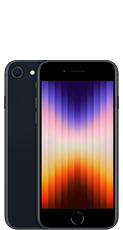
Release Date: March 18, 2022
iPhone SE
(3rd generation)
Price Plans
Support
*Japanese only
Find out more
*Japanese only