
フォーム読み込み中



Alibaba CloudでJenkinsを使ったCI/CD(その四)

康 偉
2020年2月、ソフトバンクにJoinし、現在プロダクト技術2課に配属しております。
AlibabaCloudのプロダクト全般の技術サポートを行っております。また、
重要顧客のVOCの実現やTAM活動なども担当させて頂いております。
SBKKにJoinする前、OracleDBのサポートやC言語により組み込み系開発の
仕事を携わってきました。
宜しくお願い致します。
2023年9月8日掲載

皆さんこんにちは。クラウドエンジニアのKangです。
この記事ではServerlessKubernetes にJenkinsをデプロイし、高可用性、柔軟なスケーリング、低コストの自動化CI/CD(継続的インテグレーション/継続的デリバリー) システムを構築する方法を紹介します。
- この記事ではAlibaba Cloud Container Registryサービスを利用し、Jenkinsを使ったCI/CDシステムを構築します。
- ある程度Alibaba CloudとKubernetesに関する知識がある事を前提に書いています。
Kubernetes masterノードのシングルポイント障害、リソースの利用率が低い、システムの拡張性が悪いと言った問題を解決することを目指します。
はじめに
6. CI/CDデモの検証
6.1 デモコードの構成を確認します。
https://github.com/nancyli2008/jenkins-demo.git
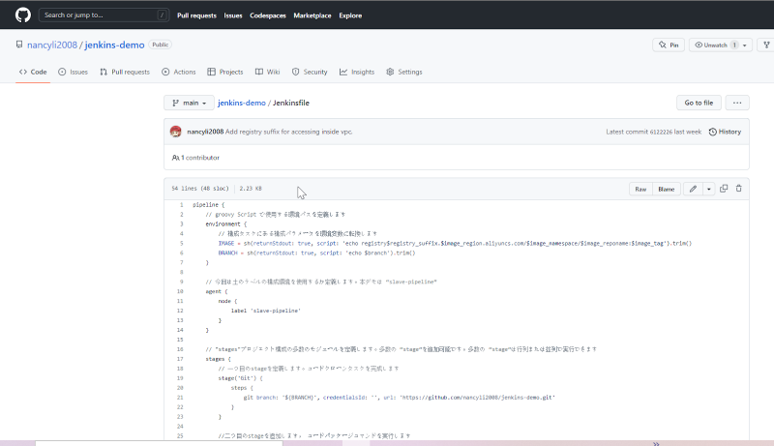
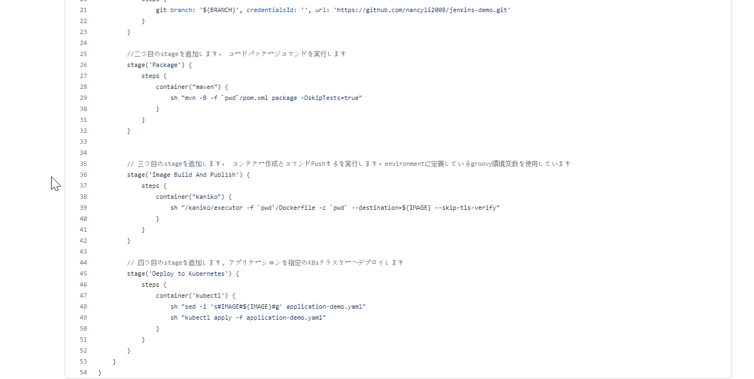
6.1.1 以下の配下のJenkinsfileを確認します。
jenkins-demo/Jenkinsfile
pipeline {
    // groovy Script で使用する環境パスを定義します。
    environment {
        // 構成タスクにある構成パラメータを環境変数に変換します。
        IMAGE = sh(returnStdout: true, script: 'echo registry$registry_suffix.$image_region.aliyuncs.com/$image_namespace/$image_reponame:$image_tag').trim()
        BRANCH = sh(returnStdout: true, script: 'echo $branch').trim()
    }

    // 今回は土のラベルの構成環境を使用するか定義します。本デモは “slave-pipeline”
    agent {
        node {
            label 'slave-pipeline'
        }
    }

    // "stages"プロジェクト構成の多数のモジュールを定義します。多数の “stage”を追加可能です。多数の “stage”は行列または並列で実行できます。
    stages {
        // 一つ目のstageを定義します。コードクローンタスクを完成させます。
        stage('Git') {
            steps {
                git branch: '${BRANCH}', credentialsId: '', url: 'https://github.com/nancyli2008/jenkins-demo.git'
            }
        }

        //二つ目のstageを追加します。 コードパッケージコマンドを実行します。
        stage('Package') {
            steps {
                container("maven") {
                    sh "mvn -B -f `pwd`/pom.xml package -DskipTests=true"
                }
            }
        }


        // 三つ目のstageを追加します。 コンテナー作成とコマンドをPushし実行します。
        stage('Image Build And Publish') {
            steps {
                container("kaniko") {
                    sh "/kaniko/executor -f `pwd`/Dockerfile -c `pwd` --destination=${IMAGE} --skip-tls-verify"
                }
            }
        }

        // 四つ目のstageを追加します。アプリケーションが指定されたK8sクラスターにデプロイします。
        stage('Deploy to Kubernetes') {
            steps {
                container('kubectl') {
                    sh "sed -i 's#IMAGE#${IMAGE}#g' application-demo.yaml"
                    sh "kubectl apply -f application-demo.yaml"
                }
            }
        }
    }
}
6.1.2 application-demo.yamlを確認します。
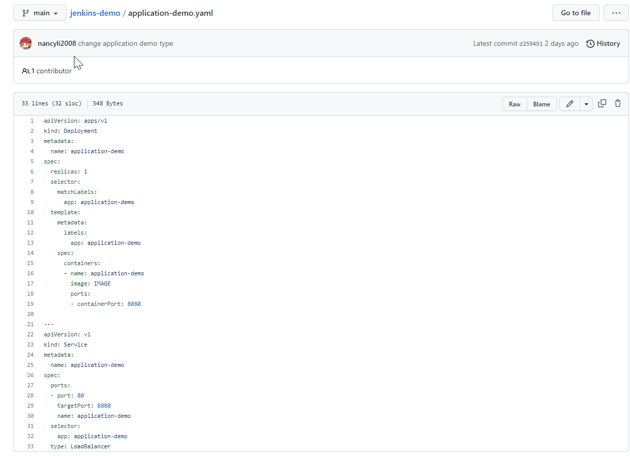
type: LoadBalancerに設定すると、デプロイされたサービスがパブリックネットワークから接続できます。
jenkins-demo/application-demo.yaml
apiVersion: apps/v1
kind: Deployment
metadata:
  name: application-demo
spec:
  replicas: 1
  selector:
    matchLabels:
      app: application-demo
  template:
    metadata:
      labels:
        app: application-demo
    spec:
      containers:
      - name: application-demo
        image: IMAGE
        ports:
        - containerPort: 8080

---
apiVersion: v1
kind: Service
metadata:
  name: application-demo
spec:
  ports:
  - port: 80
    targetPort: 8080
    name: application-demo
  selector:
    app: application-demo
  type: LoadBalancer
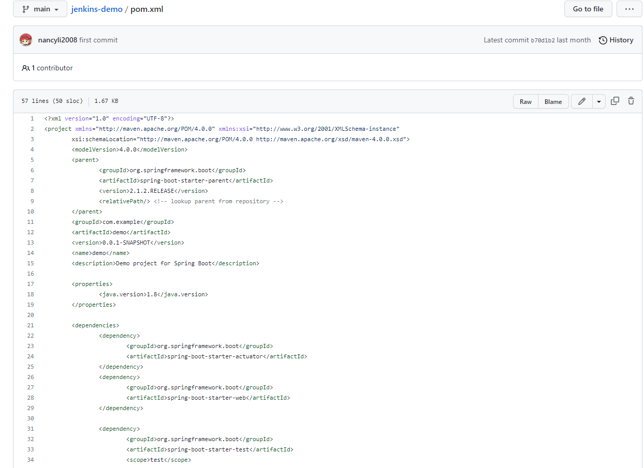
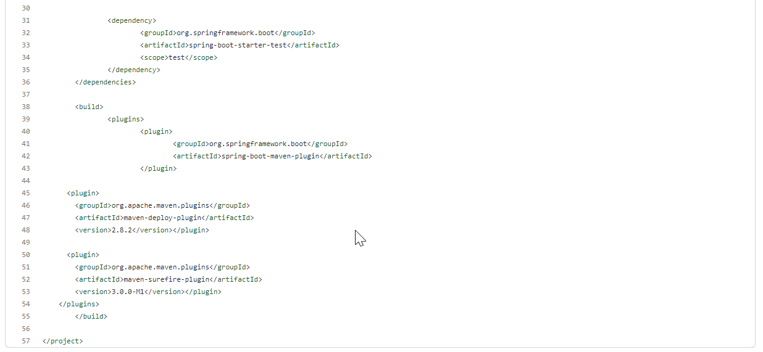
6.1.3 pom.xmlを確認します。
<?xml version="1.0" encoding="UTF-8"?>
<project xmlns="http://maven.apache.org/POM/4.0.0" xmlns:xsi="http://www.w3.org/2001/XMLSchema-instance"
    xsi:schemaLocation="http://maven.apache.org/POM/4.0.0 http://maven.apache.org/xsd/maven-4.0.0.xsd">
    <modelVersion>4.0.0</modelVersion>
    <parent>
        <groupId>org.springframework.boot</groupId>
        <artifactId>spring-boot-starter-parent</artifactId>
        <version>2.1.2.RELEASE</version>
        <relativePath/> <!-- lookup parent from repository -->
    </parent>
    <groupId>com.example</groupId>
    <artifactId>demo</artifactId>
    <version>0.0.1-SNAPSHOT</version>
    <name>demo</name>
    <description>Demo project for Spring Boot</description>
    <properties>
        <java.version>1.8</java.version>
    </properties>
    <dependencies>
        <dependency>
            <groupId>org.springframework.boot</groupId>
            <artifactId>spring-boot-starter-actuator</artifactId>
        </dependency>
        <dependency>
            <groupId>org.springframework.boot</groupId>
            <artifactId>spring-boot-starter-web</artifactId>
        </dependency>

        <dependency>
            <groupId>org.springframework.boot</groupId>
            <artifactId>spring-boot-starter-test</artifactId>
            <scope>test</scope>
        </dependency>
    </dependencies>

    <build>
        <plugins>
            <plugin>
                <groupId>org.springframework.boot</groupId>
                <artifactId>spring-boot-maven-plugin</artifactId>
            </plugin>

      <plugin>
        <groupId>org.apache.maven.plugins</groupId>
        <artifactId>maven-deploy-plugin</artifactId>
        <version>2.8.2</version></plugin>

      <plugin>
        <groupId>org.apache.maven.plugins</groupId>
        <artifactId>maven-surefire-plugin</artifactId>
        <version>3.0.0-M1</version></plugin>
    </plugins>
    </build>

</project>
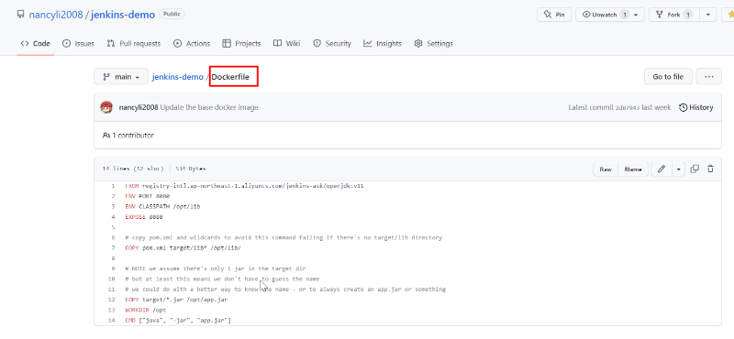
6.1.4 Dockerfileを確認します。
jenkins-demo/Dockerfile
FROM registry-intl.ap-northeast-1.aliyuncs.com/jenkins-ask/openjdk:v11
ENV PORT 8080
ENV CLASSPATH /opt/lib
EXPOSE 8080

# copy pom.xml and wildcards to avoid this command failing if there's no target/lib directory
COPY pom.xml target/lib* /opt/lib/

# NOTE we assume there's only 1 jar in the target dir
# but at least this means we don't have to guess the name
# we could do with a better way to know the name - or to always create an app.jar or something
COPY target/*.jar /opt/app.jar
WORKDIR /opt
CMD ["java", "-jar", "app.jar"]
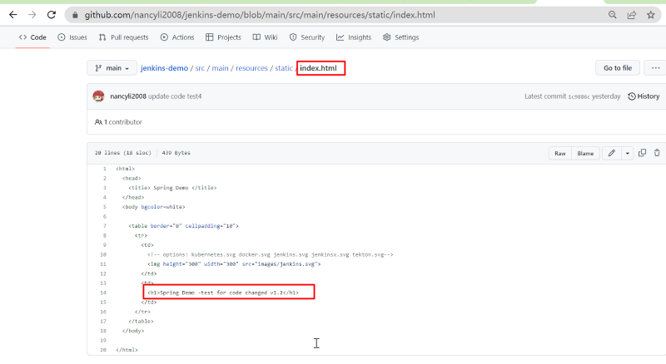
6.1.5 index.htmlを確認します。
jenkins-demo/src/main/resources/static/index.html
<html>
  <head>
    <title> Spring Demo </title>
  </head>
  <body bgcolor=white>

    <table border="0" cellpadding="10">
      <tr>
        <td>
    <!-- options: kubernetes.svg docker.svg jenkins.svg jenkinsx.svg tekton.svg-->
          <img height="300" width="300" src="images/jenkins.svg">
        </td>
        <td>
          <h1>Spring Demo</h1>
        </td>
      </tr>
    </table>
  </body>
</html>
6.2 コードを編集し、GithubにPushします。
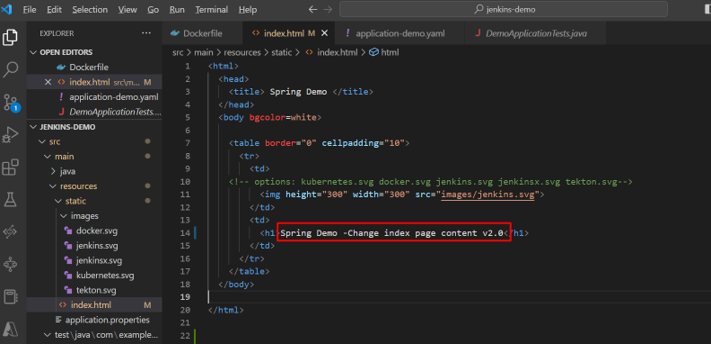
6.2.1 index.htmlを編集します。
jenkins-demo/src/main/resources/static/index.html
6.2.2 GithubにPushします。
以下のコマンドにより、上記編集したindex.htmlファイルをGithubにPushします。
git add .
git commit -m "update local code test v2.0"
git branch
git push
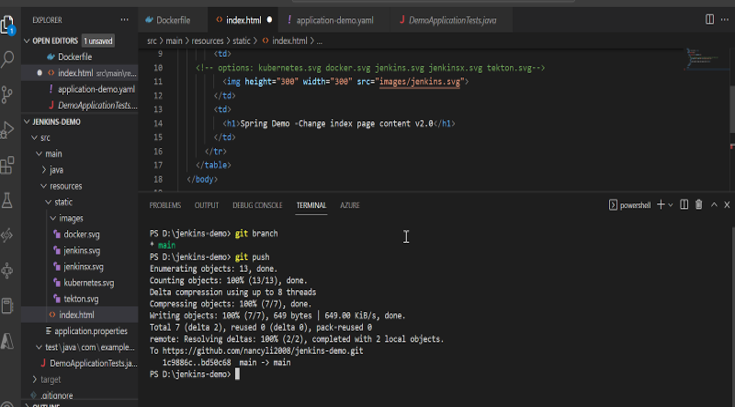
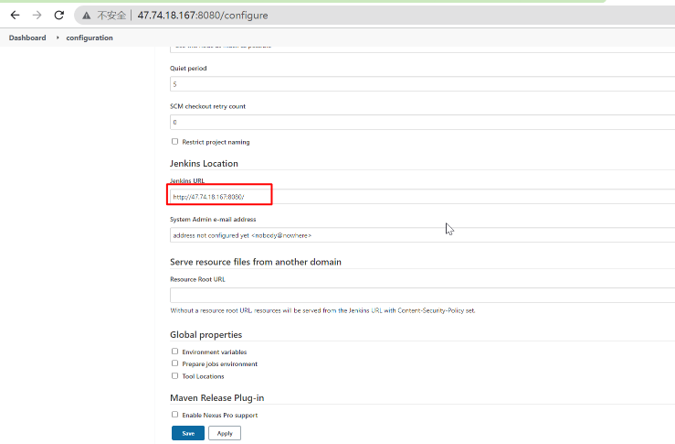
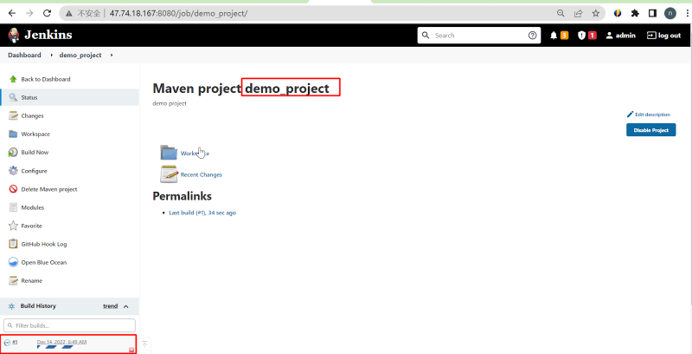
6.3 Jenkinsでdemo_project自動的にビルドします。
6.3.1 demo_project自動的にビルドを確認します。
6.3.2 demo_projectビルド中にPodステータスを確認します。
以下のコマンドにより、Podのステータスを確認できます。
kubectl get pods –all -namespaces

6.3.3 ビルド結果を確認します。
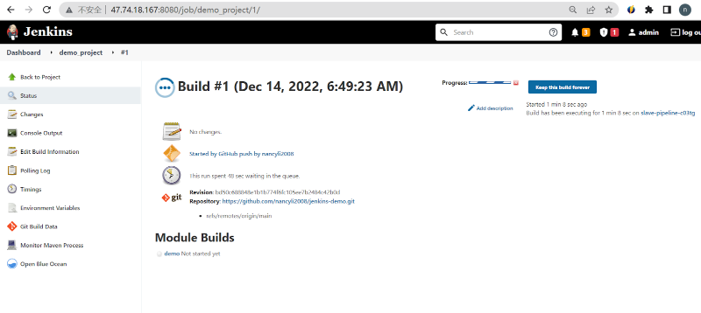
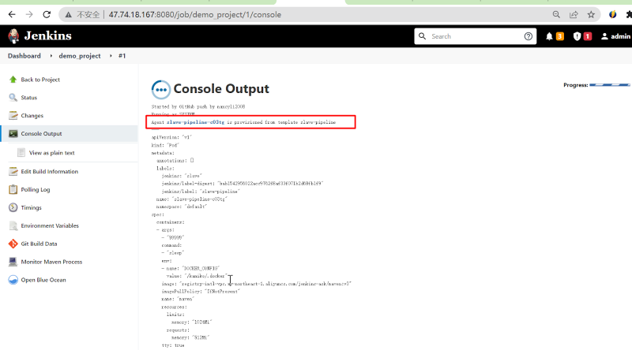
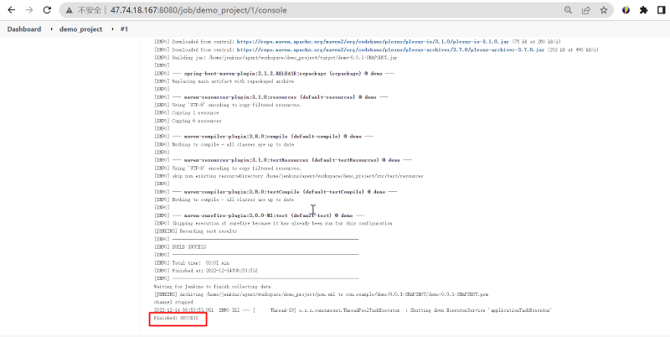
6.3.4 demo_projectの結果をBlueOceanで確認します。
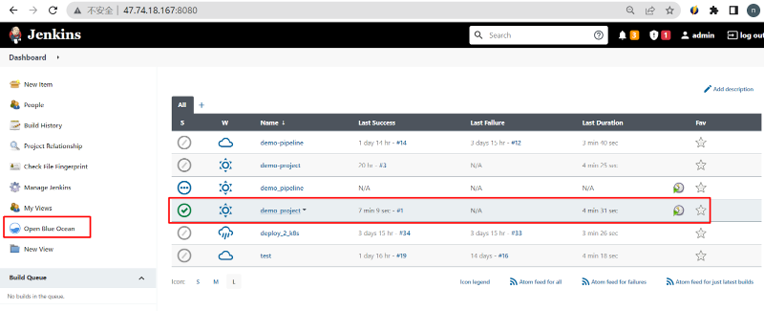
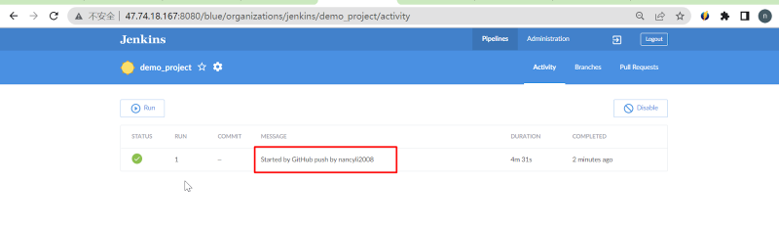
6.4 Jenkinsでdemo_pipelineを実行します。
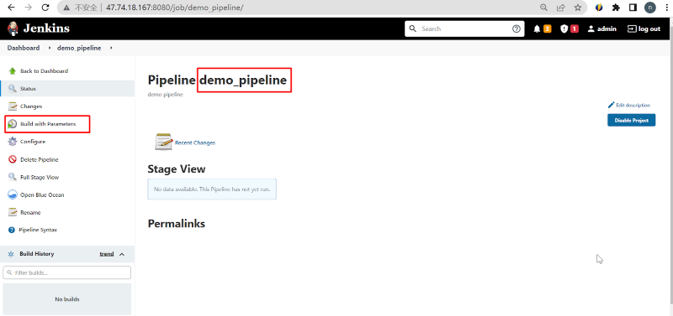
demo_pipelineではトリガーの設定ができます。必要に応じて設定してください。今回はトリガーの設定がなく、手動でdemo_pipelineを実行します。
6.4.1 ビルドをクリックします。
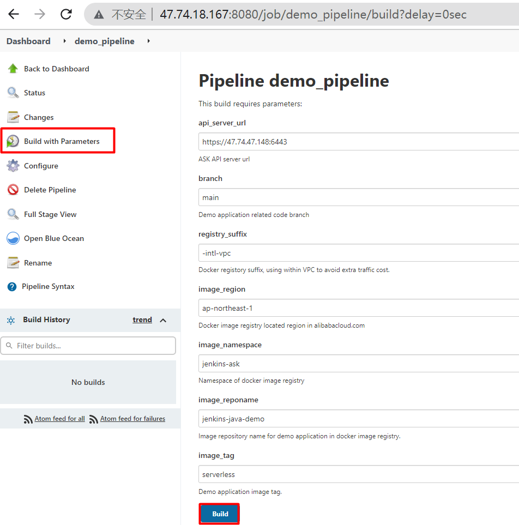
6.4.2 demo_pipelineを設定します。
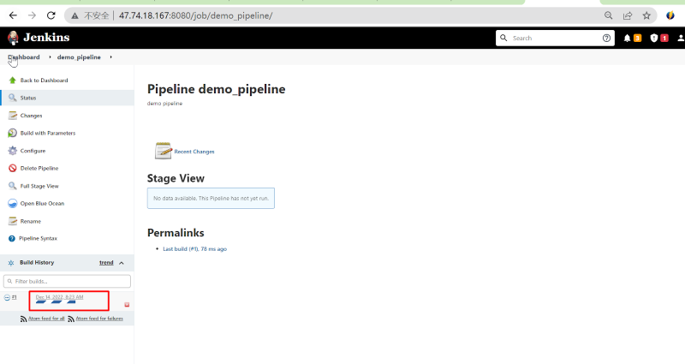
6.4.3 ビルド履歴でビルドを確認します。
6.4.4 Pipelineの四つStageによって四つのPodが立ち上がります。


6.4.5 Pipelineビルドの進捗状況を確認します。
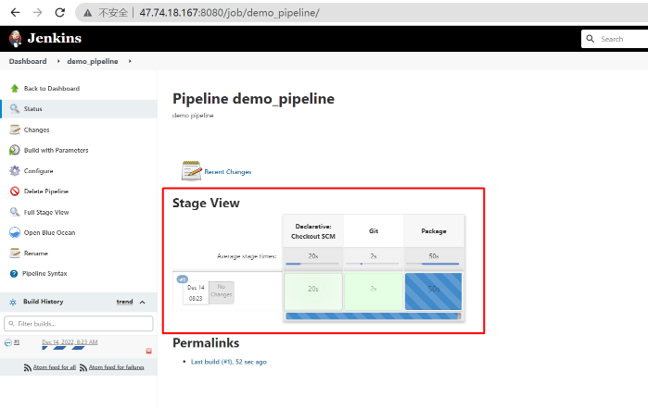
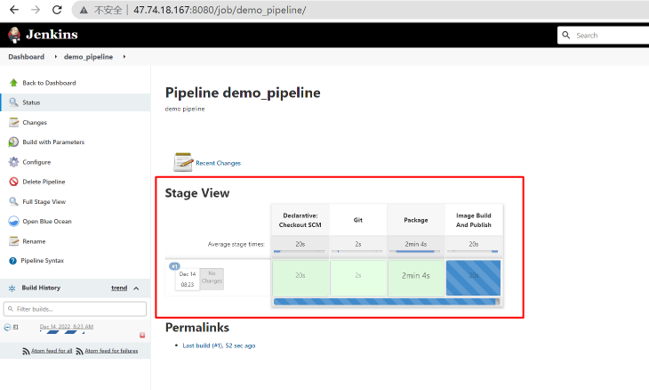
6.4.6 Pipelineのビルドが完了すると、Podが停止されます。

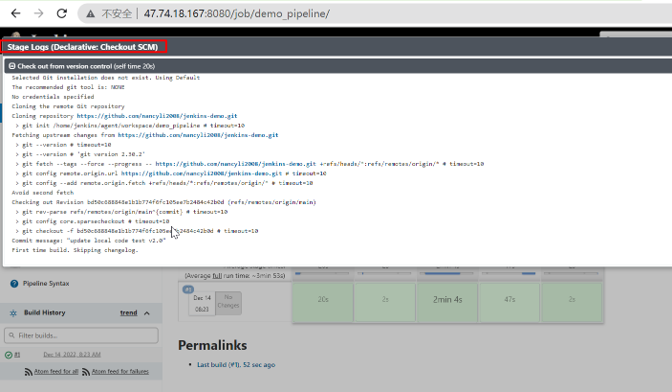
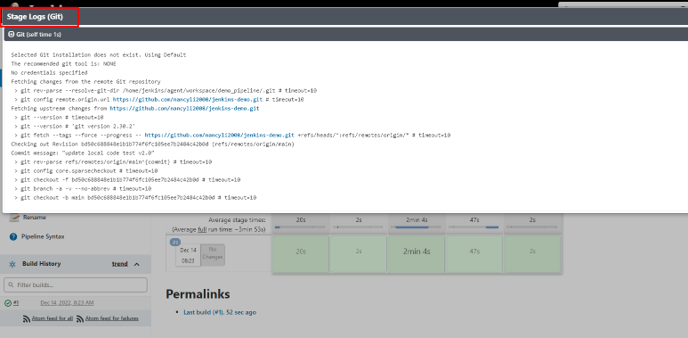
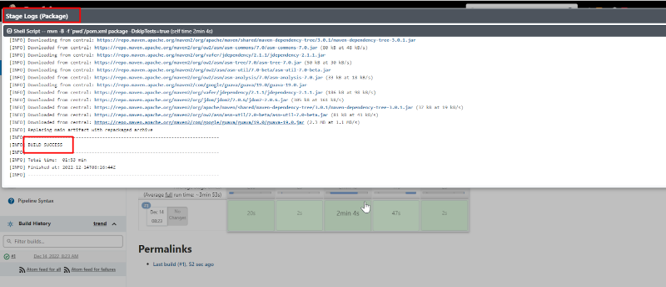
6.4.7 各段階のログを確認します。
Declarative: Checkout SCM:
Stage1:Git
Stage2:Package
Stage3:Image Build And Publish
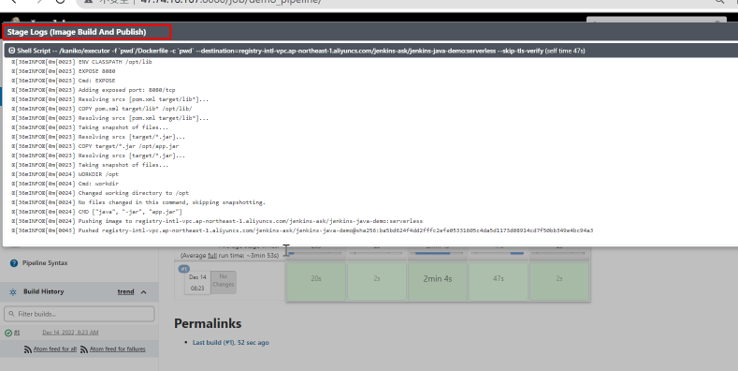
Stage4:Deploy to Kubernetes
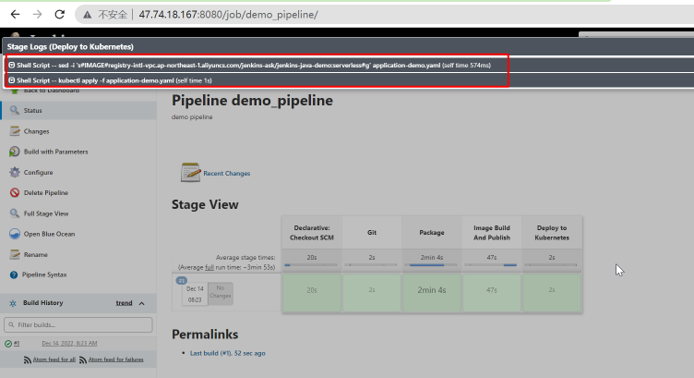
6.4.8 Pipelineが正しくビルドされました。
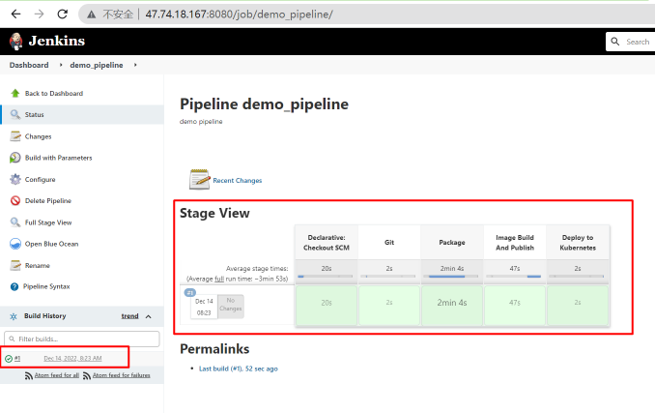
6.5 Pipelineの実行結果を確認します。
6.5.1 レポジトリを確認します。
ACRコンソールでRepositoryが生成されることを確認します。
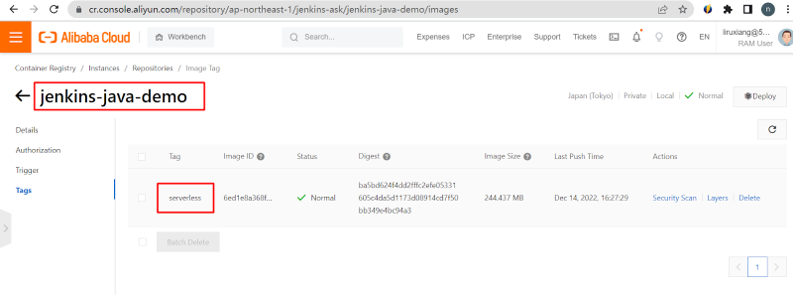
6.5.2 デプロイメントの結果を確認します。
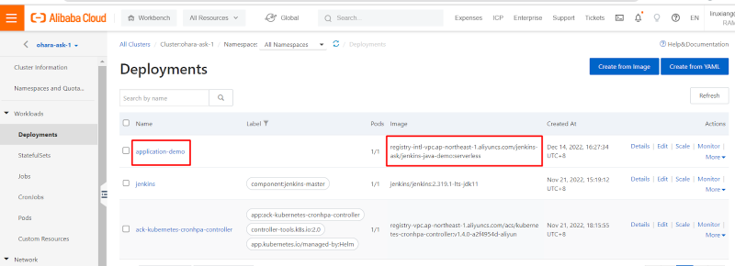
6.5.2.1 ASKコンソールでDeploymentを確認します。
Deploymentが表示されます。
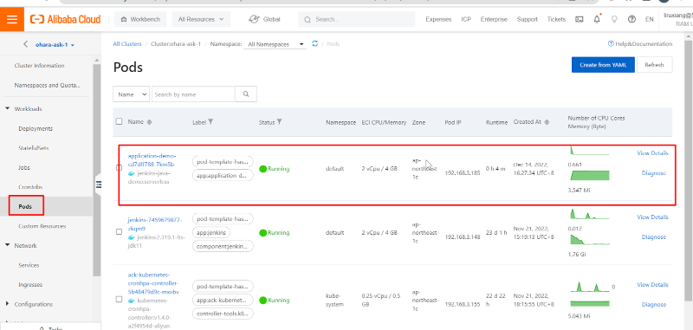
6.5.2.2 ASKコンソールでPodを確認します。
アプリケーションPodがデプロイされました
6.5.2.3 ECSでPodを確認します。
デプロイ後アプリケーションPodが実行されます。

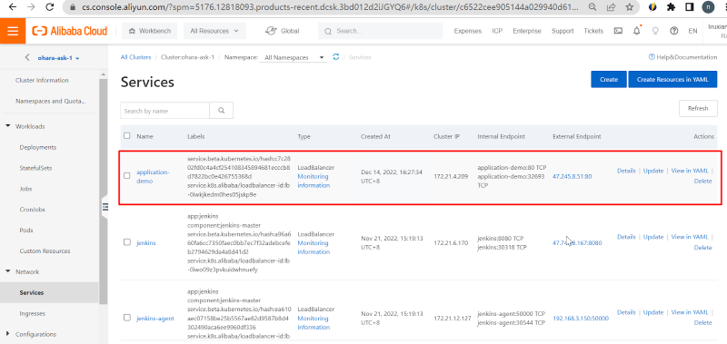
6.5.2.4 ASKコンソールでServiceを確認します。
6.5.2.5 アプリケーションを確認します。
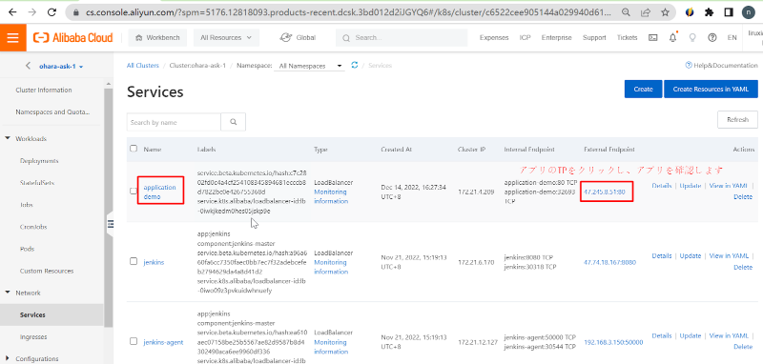
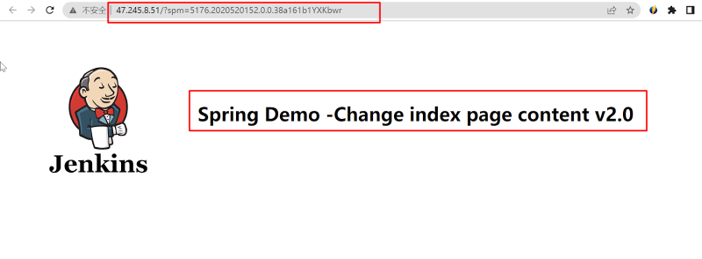
以上で、コードが正しくデプロイされたことを確認できます。
さいごに
本書ではAlibabaCloud ECIをベースとしたサーバーレスKubernetesサービス(Serverless ACK)を利用したリソーススケーラブル、低コスト、自動化CI/CDシステムの構築方法を紹介させて頂きました。興味がある方はぜひ試して頂ければと思います。
関連サービス
\ 業務課題をデジタルで支援 /
デジタルツールの選定から導入の手引きまで、中小規模のお客さまへわかりやすくお伝えします。
メールマガジン登録(無料)
ビジネスに役立つ記事やウェビナー情報をお届けします。
おすすめの記事
条件に該当するページがございません